14-day free trial · no credit card
Turn hours of manual WooCommerce work
into minutes.
Stop jumping between wp-admin, spreadsheets, analytics, ad platforms and supplier files. WooMate gives you one AI workspace where you can understand your store data, update products, generate accurate content and import supplier catalogs without manual column mapping.
Why does working in WooCommerce still take so much time, when you already have most of the data?
The problem is that this data lives apart.
And when you want to do something simple — you have to connect it all manually in your head.
Some of it is in the WooCommerce dashboard. Some in Google. Some in your ads. Some in supplier files. And when you want to do something simple — fix descriptions, change prices, optimize SEO or prepare an import — you have to connect it all manually in your head.
WooMate gathers that context in one place. It doesn't just show data, it lets you change it fast. You don't even have to log into the WordPress admin.
And tasks you've been putting off for weeks you can start right away — without clicking through wp-admin for half a day.
WooMate turns your scattered store data into a single workflow for everyday work with products, SEO, imports, content and analytics.
Who is WooMate for?
For WooCommerce store owners, managers and operators who want to work faster, easier and more enjoyably. You'll feel the difference the most if:
- you have dozens, hundreds or several thousand products
- you regularly fix descriptions, prices, categories, attributes or SEO
- you work with supplier files: CSV, Excel, PDF, catalogs, price lists
- you want to publish new products faster without rewriting everything by hand
- you have products with no descriptions or copied from the manufacturer
- you use GA4, Search Console or Meta Ads, but rarely in day-to-day work
- you don't know which products to fix first, so SEO keeps waiting
- you're tired of a simple store change meaning 80 clicks
- you don't want to install yet another plugin for every feature
- you want to work on real store data, not guesses and empty prompts
Manual work doesn't just take time. It blocks your store's growth.
The biggest cost of manual work in WooCommerce isn't that something takes an hour longer. When everything has to be done by hand, you start putting off the things that actually drive sales:
- product descriptions stay empty or copied from the catalog
- SEO waits, because nobody has time to fix products one by one
- supplier imports get done whenever they can
- products with potential never get optimized
- data from GA4, Search Console and ads doesn't shape product decisions
- the store works, but grows slower than it should
WooMate solves a specific WooCommerce owner's problem: too much operational work, too little time to grow the store.
Features
See what working with WooMate looks like
You don't start from a blank screen or have to invent prompts. You pick what you want to do in your store, and WooMate uses the data you already have.
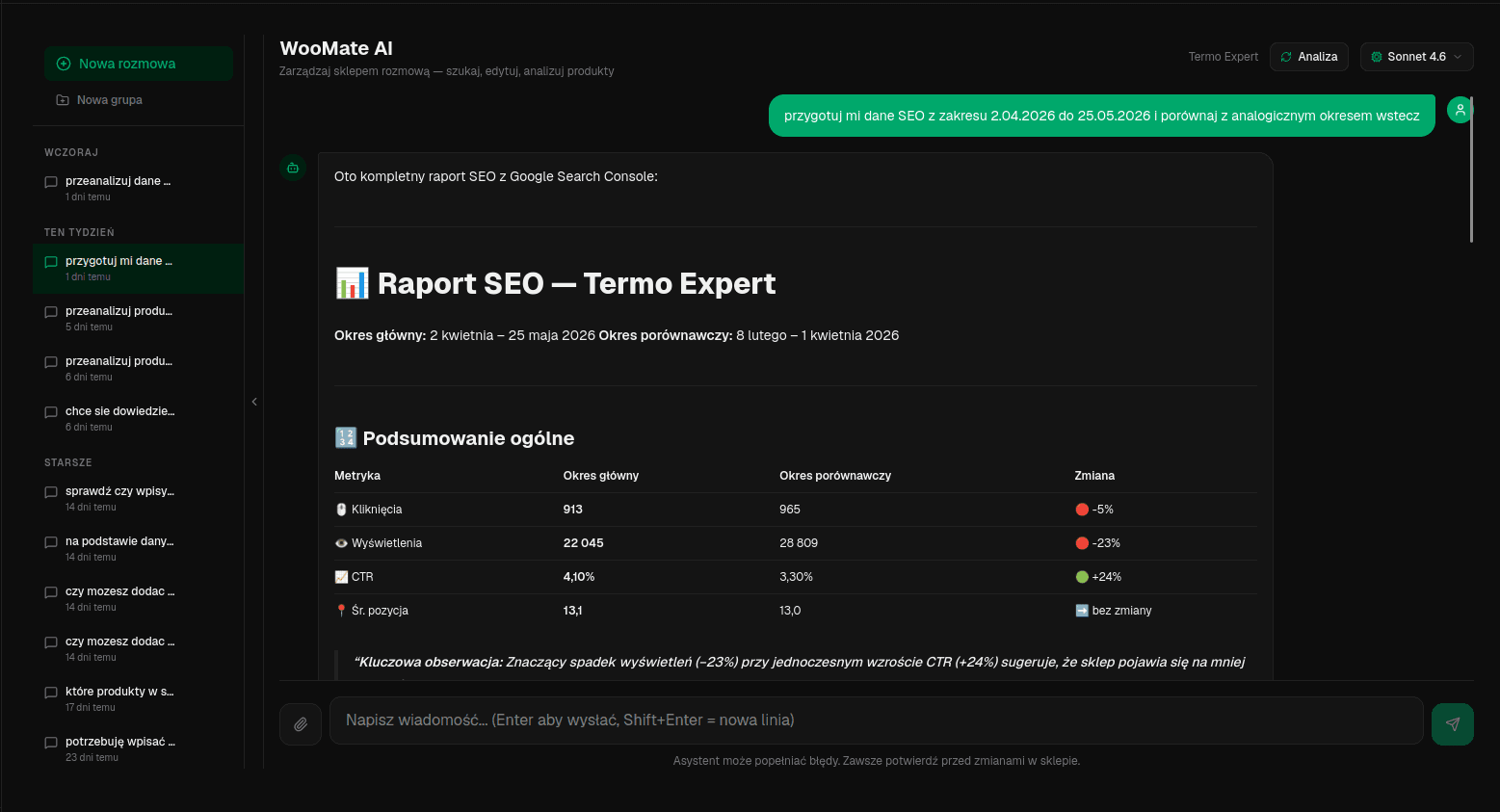
Task
Bulk product updates
"Raise prices on products from supplier X by 5%, but skip products on sale and show me a summary before saving the changes."
WooMate doesn't just write an answer. It works on the products in your WooCommerce.
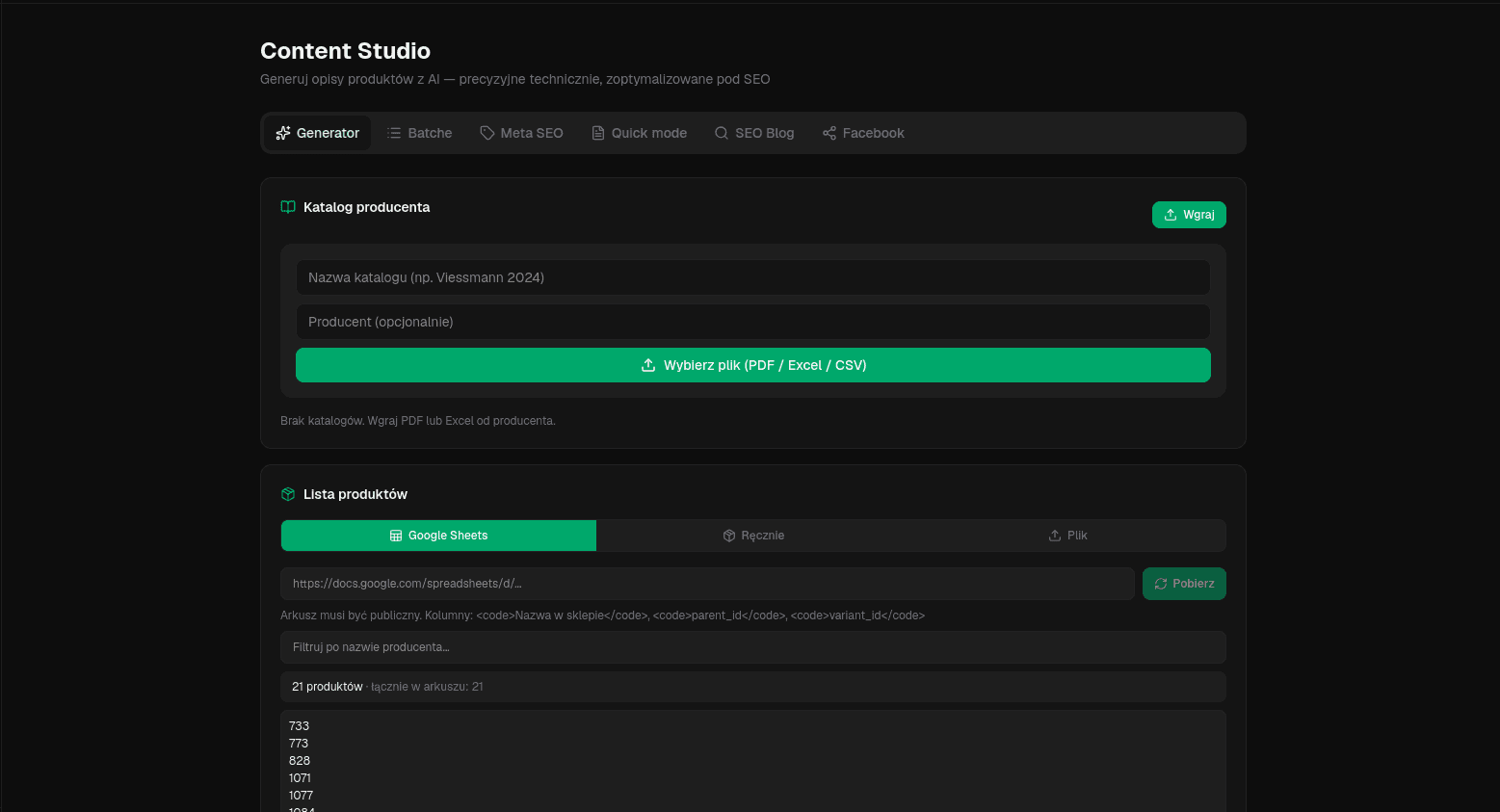
Task
Descriptions from a PDF catalog
You upload a supplier catalog, pick products and generate descriptions, specs, meta titles and meta descriptions based on the technical data.
Descriptions aren't built from hallucinations, but from specs, product data and the supplier source.
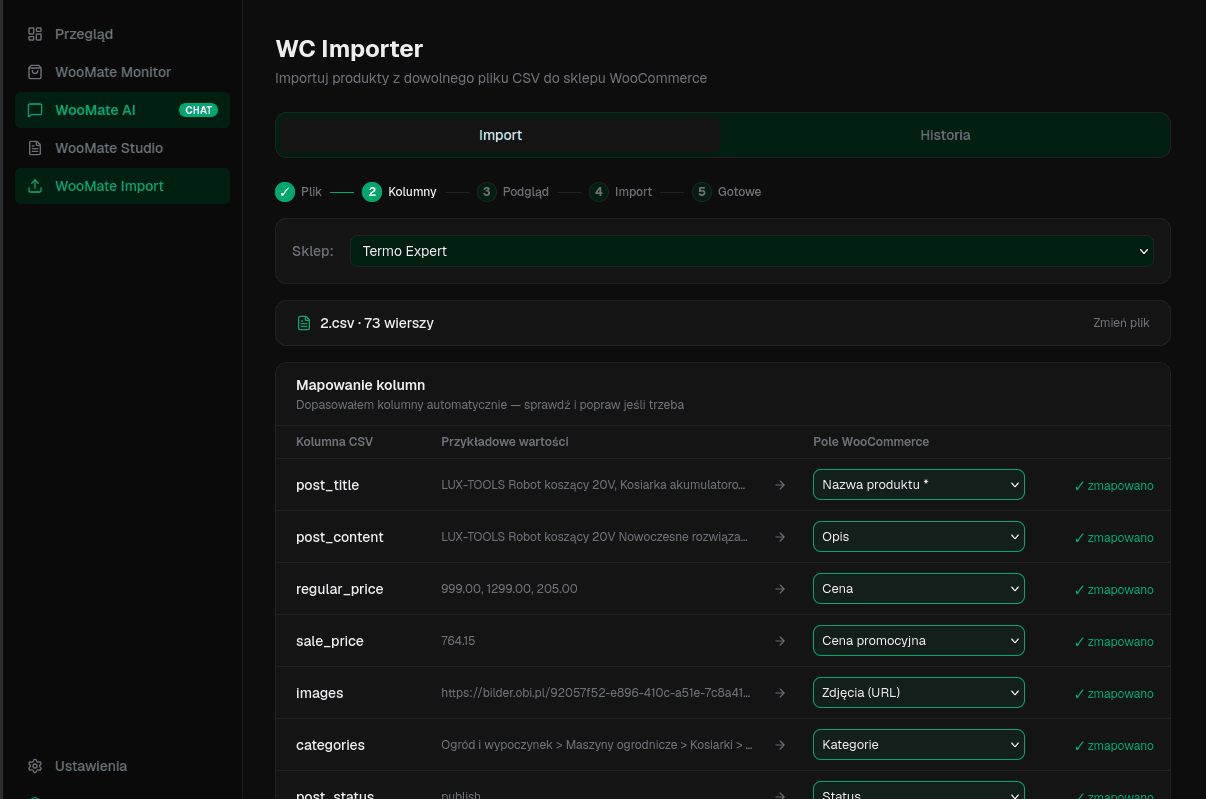
Task
Supplier CSV import
You upload a file and WooMate recognizes the columns, helps you map SKUs, prices, descriptions, categories, stock levels and shows a dry-run before the import.
You don't fight every file from scratch.
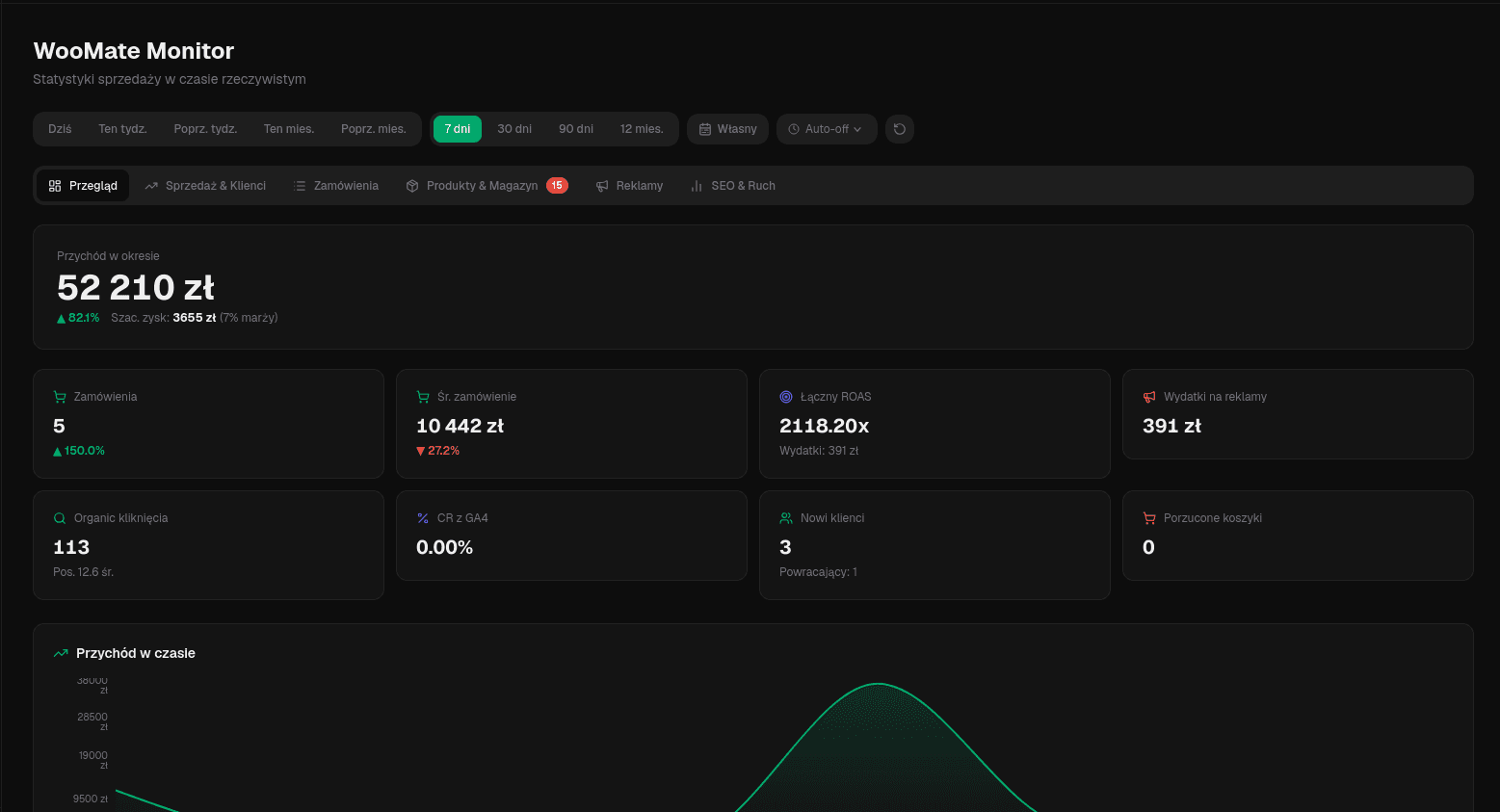
Task
Data-driven decisions
You see sales, customers, products, coupons, revenue targets, analytics data and changes over time.
WooMate isn't just a content tool. It's the hub for working on your store.
Task
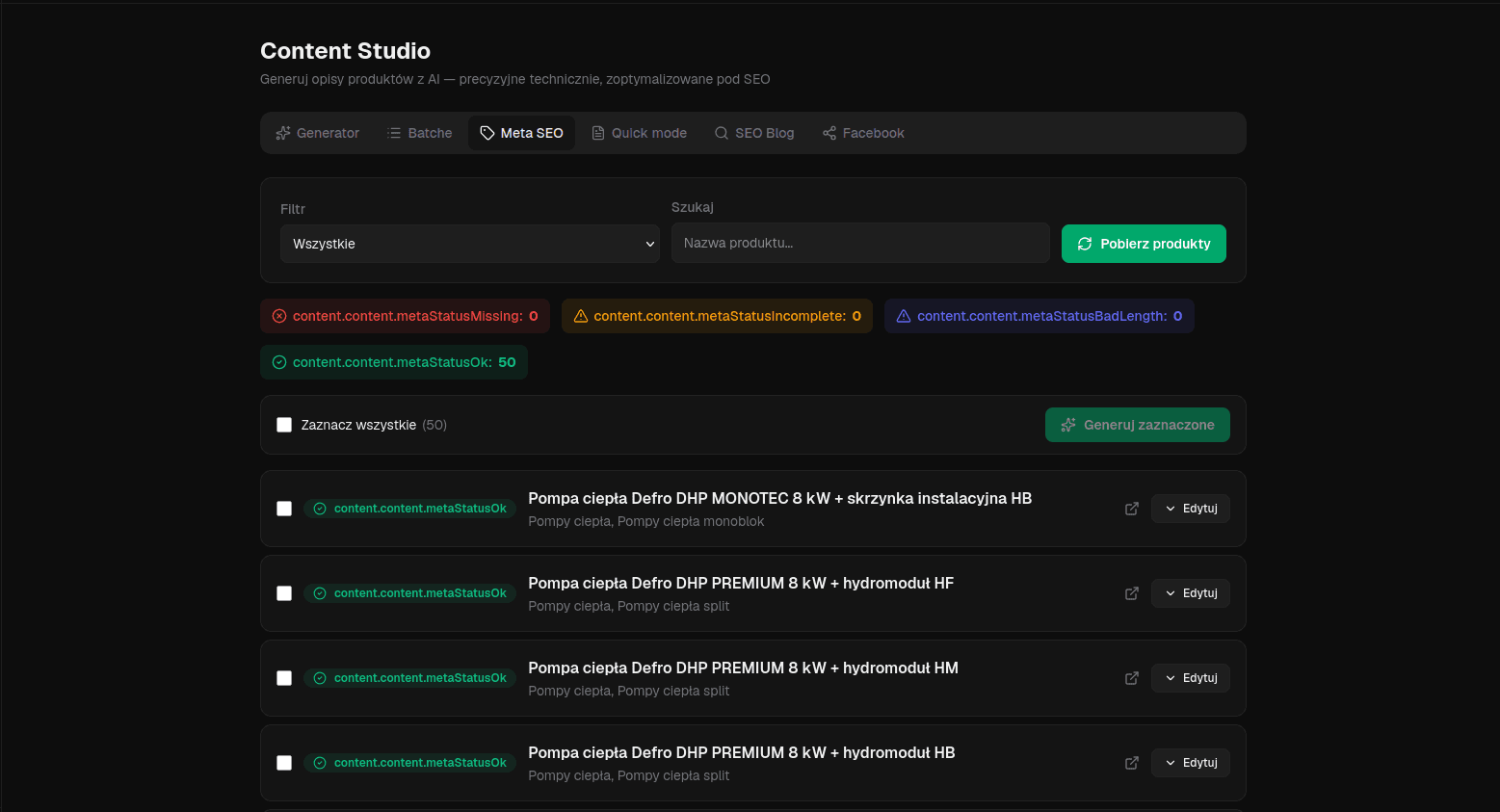
Improve products with potential
WooMate can help find products that have traffic but poor conversion, empty meta data, weak descriptions or need more content.
You don't fix products at random. You start with the ones that make the most sense.
Task
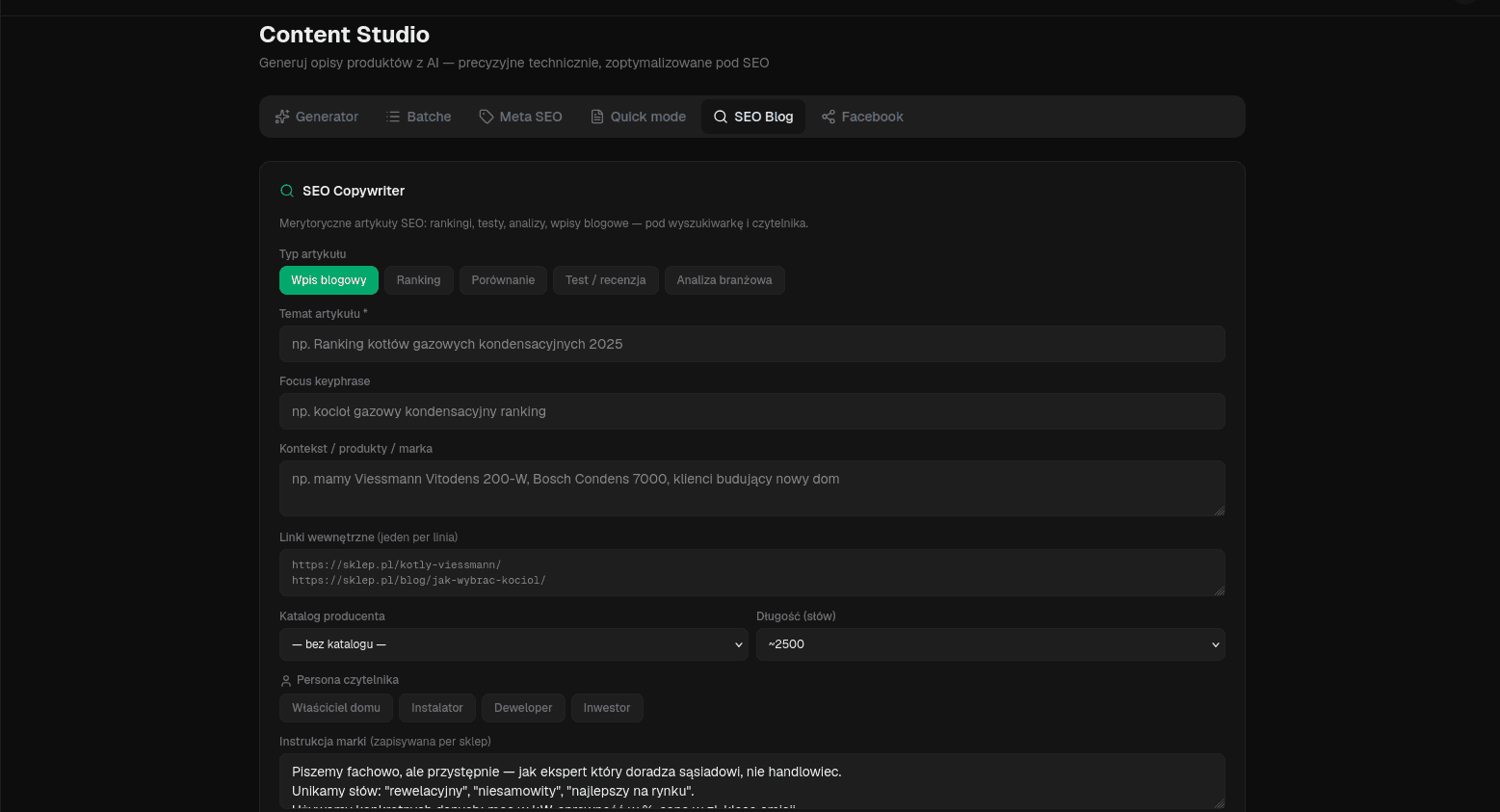
Content from store data
Based on your products, categories and sales data, WooMate can help prepare a blog post, social media posts or promo copy.
Content isn't detached from the store — it follows from your real catalog and data.
The biggest change? You get back the time
that disappears in the WooCommerce dashboard today
Before WooMate
"I really need to sit down with those descriptions, SEO and imports someday."
After WooMate
"I pick a task, check the result and approve it."
Instead of spending half a day fixing products, you can:
How it works
How does WooMate shorten work in WooCommerce?
- 1Step 1
Connect your store and data sources
You connect WooCommerce and the sources you use: analytics, Search Console, ads, supplier files, catalogs, CSVs, PDFs and spreadsheets.
- 2Step 2
Pick what you want to do
You can edit products, generate descriptions, prepare an import, check results, optimize SEO or find products that need attention.
- 3Step 3
WooMate works on your store data
It doesn't act like an empty chatbot. It uses real context: products, categories, sales, traffic, keywords, ads and supplier files.
- 4Step 4
Review the result before publishing
You stay in control of what gets changed. You can review the result, fix it and only then send the changes to WooCommerce.
- 5Step 5
Save time on repetitive tasks
You don't have to manually jump between dashboards and copy data. You work faster, because all the context is in one workflow.
WooMate vs plain AI
It's like ChatGPT, Claude or Gemini,
but one that knows your store and can actually help you run it
WooMate is connected to your WooCommerce, products, analytics, ads and supplier files. That's why you don't work on an empty prompt — you work on real store data.
ChatGPT can write some copy about a product.
WooMate prepares descriptions based on your product data and sends them to WooCommerce.
Claude can analyze a file.
WooMate connects that file with the products in your store and prepares the import.
Gemini can answer a question.
WooMate answers and carries out the change in your store.
Why isn't ChatGPT, Excel or yet another plugin enough?
Doesn't know your store
To use a plain AI chat you have to copy data out of your store, paste descriptions, add context and upload files. And then you still implement the result in WooCommerce by hand.
Can hallucinate without data
If the model doesn't know the product spec, it writes a nice but untrue description. In WooMate content is built from product data, attributes, PDF catalogs and store context.
Won't do the work in WooCommerce
A spreadsheet helps organize data, but you still have to map columns, check for errors, import the file and make sure everything landed where it should.
Only solve a fragment
One for SEO. One for import. One for bulk edit. One for reports. And each new one means more clutter, more dependencies and a slower store.
WooMate connects context and action
Your data isn't just for viewing. You can work on it: generate descriptions, improve SEO, prepare imports, analyze products and update data based on a fuller picture of your store.
WooMate is the first tool this complete for operational work with WooCommerce.
Benefits
What does it give you in everyday work?
WooMate helps shorten the specific tasks that take the most time in WooCommerce today.
You don't have to enter wp-admin to get many tasks moving
Instead of opening product after product, you pick a task in WooMate: fix prices, descriptions, SEO, categories. You review the result before publishing.
You create descriptions from technical specs, not hallucinations
WooMate uses product data, attributes, categories, PDF catalogs, CSVs and supplier files. Descriptions and SEO are built from real data.
You import products faster without manual mapping from scratch
A CSV, Excel or PDF doesn't have to mean fighting every supplier file all over again. WooMate helps recognize the structure and prepare the data for import.
You publish results straight to WooCommerce
You don't end up with text in a separate document to manually copy over. WooMate helps you go from generated content to implementation in your products.
You make decisions based on data, not gut feeling
You can look at products through sales, traffic, SEO and ads. It's easier to choose which products to fix and which need a fast response.
You improve not just products, but the whole way you work on the store
WooMate ties together descriptions, SEO, imports, analysis and everyday fixes — several of a WooCommerce owner's most common tasks in one place.
You get back time for the things that really grow the store
Instead of losing half a day clicking through products, you can focus on offers, campaigns, margins, customers or new categories.
You stop fighting your store — you start growing it
WooMate turns everyday operational work from something you put off into something you do right away — because it takes minutes, not hours.

I built WooMate for myself, because I had these exact WooCommerce problems
I worked on products, descriptions, supplier files, imports, SEO and the wp-admin dashboard myself. I knew the daily reality where a simple change can spill into several hours, and generating hundreds of descriptions in the heating industry was a grind.
So I started building the tool I needed myself.
For me it's a gamechanger. For working on products I no longer go back to wp-admin — because there's no reason to.
Miłosz Wein
Founder of WooMate · termo-expert.com.pl
Early users already save dozens of hours of manual work
Tested on real stores, products and technical problems.
I had the chance to rigorously test WooMate on a live technical store — for SEO optimization, unifying UX/UI, E-E-A-T principles, generating JSON-LD and integrating with Yoast SEO.
WooMate saves dozens of hours of manual, repetitive work. If you want to scale your e-commerce, keep your descriptions consistent and not worry about technical SEO — it's an absolute must-have.
"An absolute must-have if you want to scale your e-commerce."
Norbert Jastrzębski
e-commerce specialist
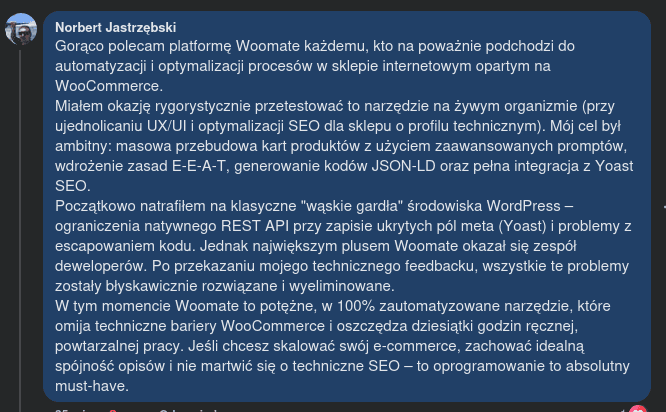
WooMate already runs on real WooCommerce stores
This isn't a mockup or a promise from a pitch deck.



Pricing
Pick a plan that fits your store's scale
Start with a free trial. Connect your store, test WooMate on one real task and only then decide which plan to pick.
All plans · 14-day trial · no credit card · Stripe payments
WooMate Pro Lifetime
for a single payment
One-time access to the Pro plan for good — no monthly subscription. Pays for itself in ~6 months vs standard Pro.
one-time · instead of $99 / month
One-time payment · permanent Pro access · only 30 licenses
What you get
- Access to the Pro plan forever
- All future updates included
- No monthly subscription
- Pays for itself in ~6 months vs monthly Pro
- First license already sold
Because manual work won't disappear on its own
If today you have products without descriptions, incomplete SEO, supplier files to sort out or data scattered across dashboards, a week from now you'll have the same problem. Only bigger.
Just test WooMate on one task you have to do anyway.
Start with a trial, then pick a plan
You don't have to decide right away whether you pick Starter, Pro, Agency or Pro Lifetime. First connect WooCommerce and test WooMate on one real task.
14-day free trial · no credit card
Frequently asked questions
Does my store need to meet any requirements?+
WooCommerce 3.5 or newer with the REST API enabled. In WooCommerce → Settings → Advanced → REST API you generate a Consumer Key and Consumer Secret — that's all you need.
Do I need my own Anthropic API key?+
Yes — and that's good news. WooMate runs on Claude (Anthropic). Creating an Anthropic account takes 2 minutes, and we walk you through it step by step after signup. You pay Anthropic for actual usage, WITH NO SUBSCRIPTION: a typical store spends ~$5–20/month. If you don't use it, you don't pay. The trial works without a key too.
Is my data safe?+
Yes. WooCommerce keys and OAuth tokens are encrypted (AES-256) in the database. The server is hosted in Germany (Hetzner), GDPR-compliant. WooMate connects to your store only through the official REST API — no server or FTP access.
What happens when the trial ends?+
Your account switches to view-only mode. Your data stays safe. You can buy a plan at any time and get full access back.
Can I cancel anytime?+
Yes. Monthly plans can be cancelled whenever you want — from your account settings via the Stripe portal. Annual — until the end of the paid period. Lifetime is a one-time payment — it never expires.
How many stores can I connect?+
Starter and Pro: 1 store. Agency: 5 stores. Each store requires WooCommerce REST API keys.
What does Lifetime — 30 licenses mean?+
It's an offer for the first 30 customers. You pay $599 once and get access to the Pro plan forever, including all future features. Once the 30 seats are gone, the offer disappears.

Got a question? Write to me directly.
I reply personally — no bot, no ticket system. If you have a question about WooMate, doubts before buying or want to see a specific use case — just write.
Miłosz Wein · Founder of WooMate
Your data is safe
AES-256 encryption
API keys and OAuth tokens encrypted in the database.
EU server
Hetzner, Germany. GDPR-compliant.
REST API only
No server or FTP access.
Data isolation
Each account sees only its own data.
Try WooMate on a task
that takes you too much time today
Connect your store, pick one task and see whether WooMate shortens the work you normally do by hand in WooCommerce.