
Error report, history and undoing an import
Where to find the result of every import, download the problem list and undo an import.
The history shows each import's result, items and problems. This is also where you undo an import.
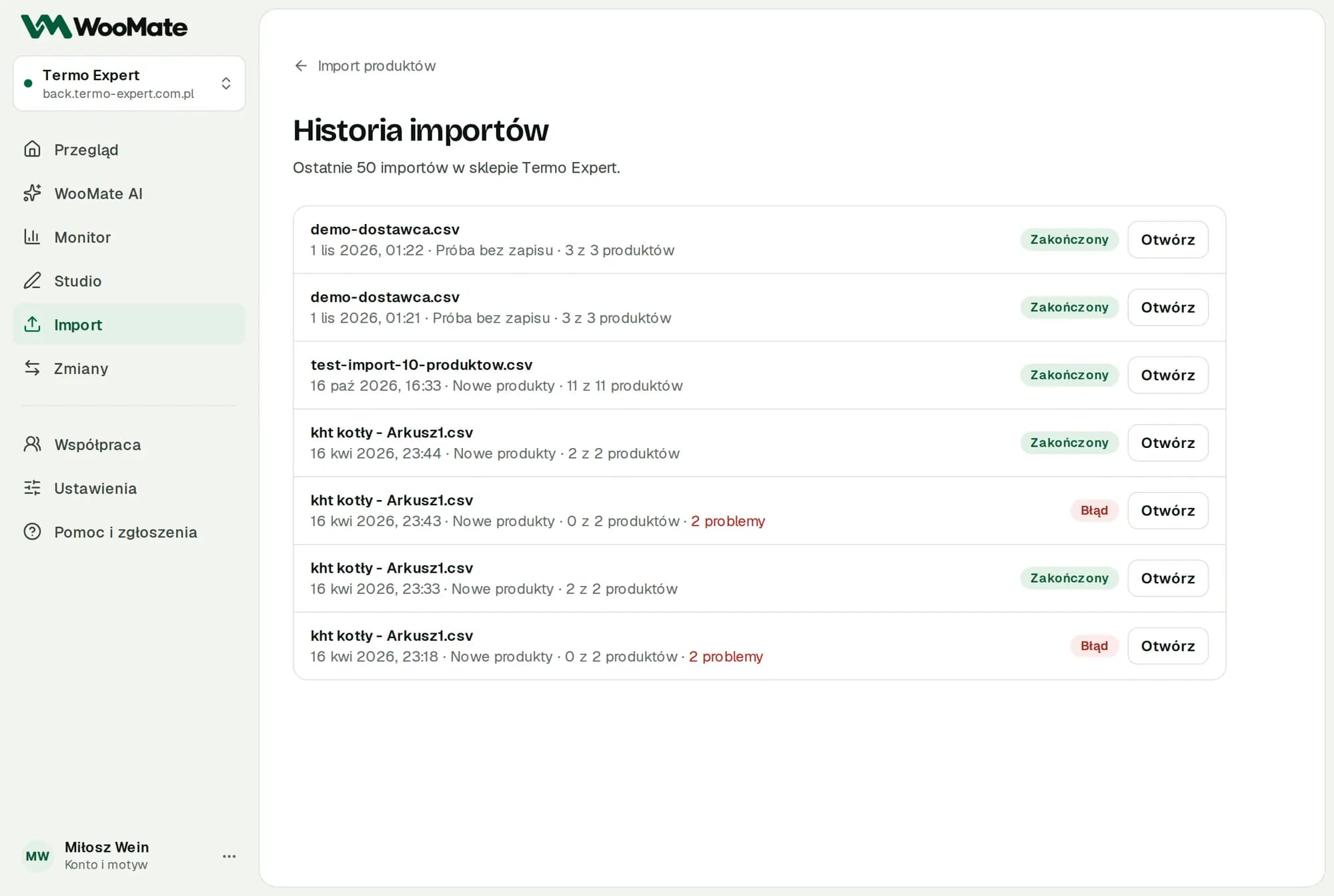
History
Recent imports appear on the Import screen, and Full history opens the last 50 imports in the selected store. For each one you'll see the goal, the number of products, the problems and an Open button. Dry runs are labeled Test run without saving.
Items
The Items list has a Show filter: All, Errors, Needs checking, Confirmed, Excluded from retry.
| Item state | Meaning |
|---|---|
| Confirmed | The write is confirmed |
| Failed before writing | The store didn't change; you can retry |
| Needs checking | No confirmation of the write |
| Excluded from retry | Checked manually |
Each item shows the Before and After values and Technical details.
Undoing an import
You can undo a completed import that saved changes with the Undo import button in the import result or in the import list.
- Click Undo import.
- In the dialog, check how many products will return to their pre-import values and how many will become drafts.
- Click Undo import.
- Updated products and variations go back to their pre-import values: prices, stock and other matched fields.
- Products created by the import become drafts. WooMate doesn't delete them.
- WooMate doesn't undo images and categories.
- WooMate skips products changed in the store after the import, so it doesn't overwrite newer changes.
The undo runs in the background like an import and gets its own entry in the history. You can undo each import once. You can undo an import with Needs checking items after you resolve them.
CSV report
Download the problem list (CSV) gives you a semicolon-separated file that opens in Excel. It has the columns Row, SKU or name, Status and Problem. It covers rows skipped during the file check (up to 1,000 per import) plus failed items, items that need checking and items excluded from retry.
Related articles
Can't find the answer? Write to hello@getwoomate.com or request free onboarding help.