
Studio overview
What you'll find in Studio and the rules that apply to all of its tools.
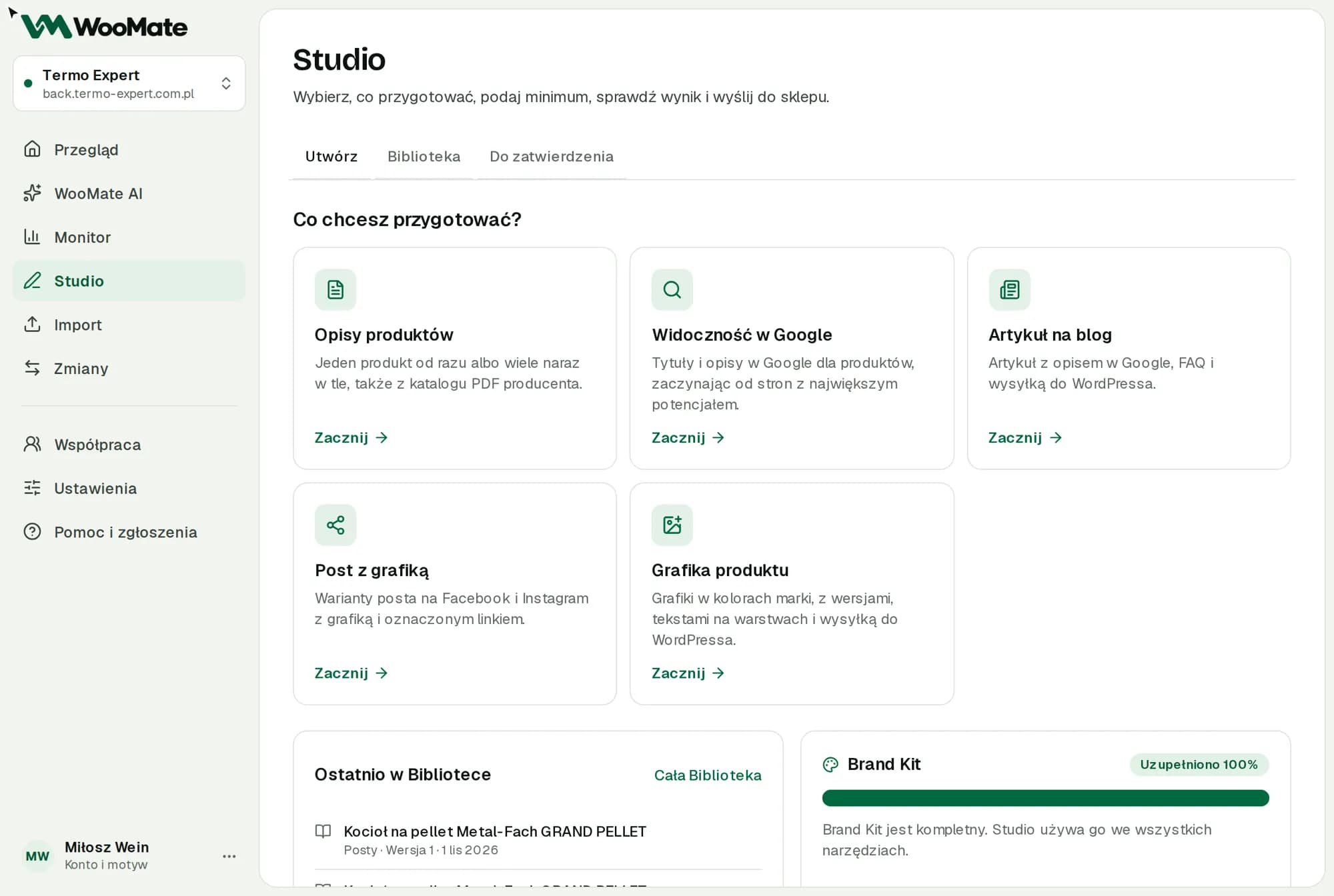
Studio prepares descriptions, Google content, image ALT texts, articles, posts and graphics. It saves the results in the Library, and they reach your store only after you approve them.
What you need first
- A Pro, Pro Lifetime or Agency plan, or the free trial. The Starter plan doesn't include Studio.
- An Anthropic or OpenAI key. Graphics need a Gemini or OpenAI key.
- A connected store. Without one, descriptions and posts still get written, but they aren't saved in the Library.
Tools
| Tool | What it prepares | Store |
|---|---|---|
| Product descriptions | One description or a batch of descriptions from a catalog | Optional for one product, required for a batch |
| Google visibility | Google titles and descriptions | Required |
| Image ALT texts | Product image descriptions | Required |
| Blog article | An article with a Google description and FAQ | Required |
| Post with image | Post variants for Facebook and Instagram | Optional |
| Product image | Graphics in your brand colors | Required |
How to work
- On the What do you want to prepare? screen, pick a tool and click Start.
- Enter your details. You'll find the model and other options under Change settings.
- Review the result and the cost.
- Send it to your store and approve the change, or copy the result.
Some tools let you choose Data sources. The Show the data sent to AI button shows exactly what goes in.
Studio uses your Brand Kit. WooMate remembers tool settings for each store in this browser.
Limits
- The free trial includes 20 products in Studio and 10 graphics.
- The default model for product descriptions, articles and posts is Sonnet 5.5. Short tasks (Google descriptions, ALT texts, article outlines) use Haiku 4.5. Without an Anthropic key, Studio picks an OpenAI model. You can change the model under Change settings.
Common problems
- Trial limit used up. Choose a plan.
- Could not prepare the content. Try again or choose another model.
Related articles
Can't find the answer? Write to hello@getwoomate.com or request free onboarding help.